 sklep@ccy.pl
 +48 514 563 619


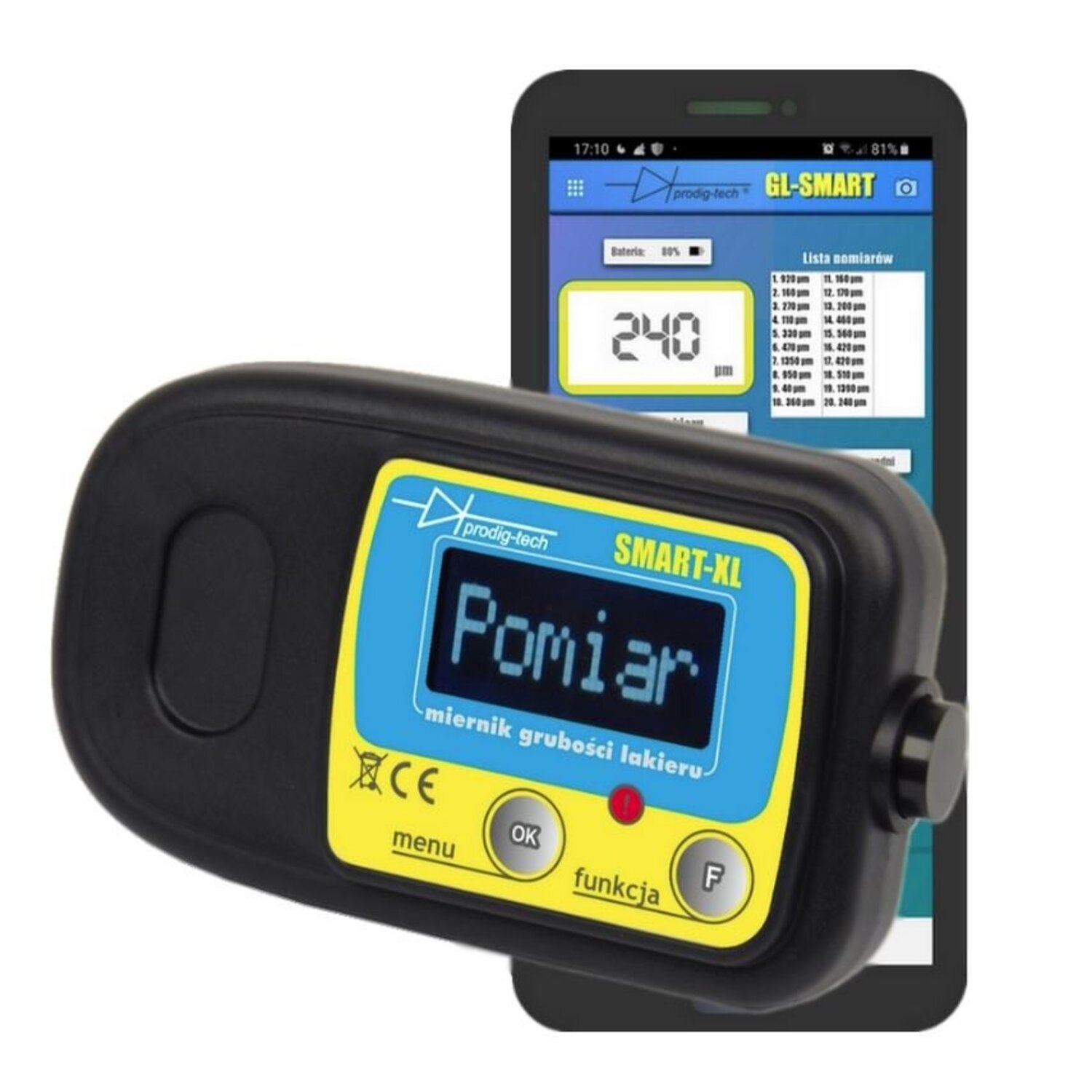
GL-SMART-XL paint thickness meter
GTIN: 5904730635417
Modern Paint Thickness Gauge for Your Car
Meet GL-SMART-XL - an innovative tool for measuring paint thickness on steel, galvanized steel, and aluminum panels. This advanced gauge can be connected to a phone equipped with Android 6 or newer, on which the special GL-SMART application is installed.
Benefits we offer:
- Access to the GL-SMART application, which opens new possibilities in measuring paint thickness.
- We source gauges directly from the manufacturer.
- Software from 2020, providing the latest technological solutions.
- High-quality product, confirmed by the prestigious "Best in Poland®" mark.
- The gauge's operation is carefully checked before shipping by the manufacturer's quality control.
- Includes good quality batteries + high-quality case.
- You receive a complete set: gauge, manual, batteries, calibration plates, branded case.
- Our gauges are continuously improved, we participate in scientific seminars organized by the Silesian University of Technology, which are a valuable source of knowledge about automotive and materials engineering; we collaborate with academic staff.
Transform your phone into a paint thickness gauge
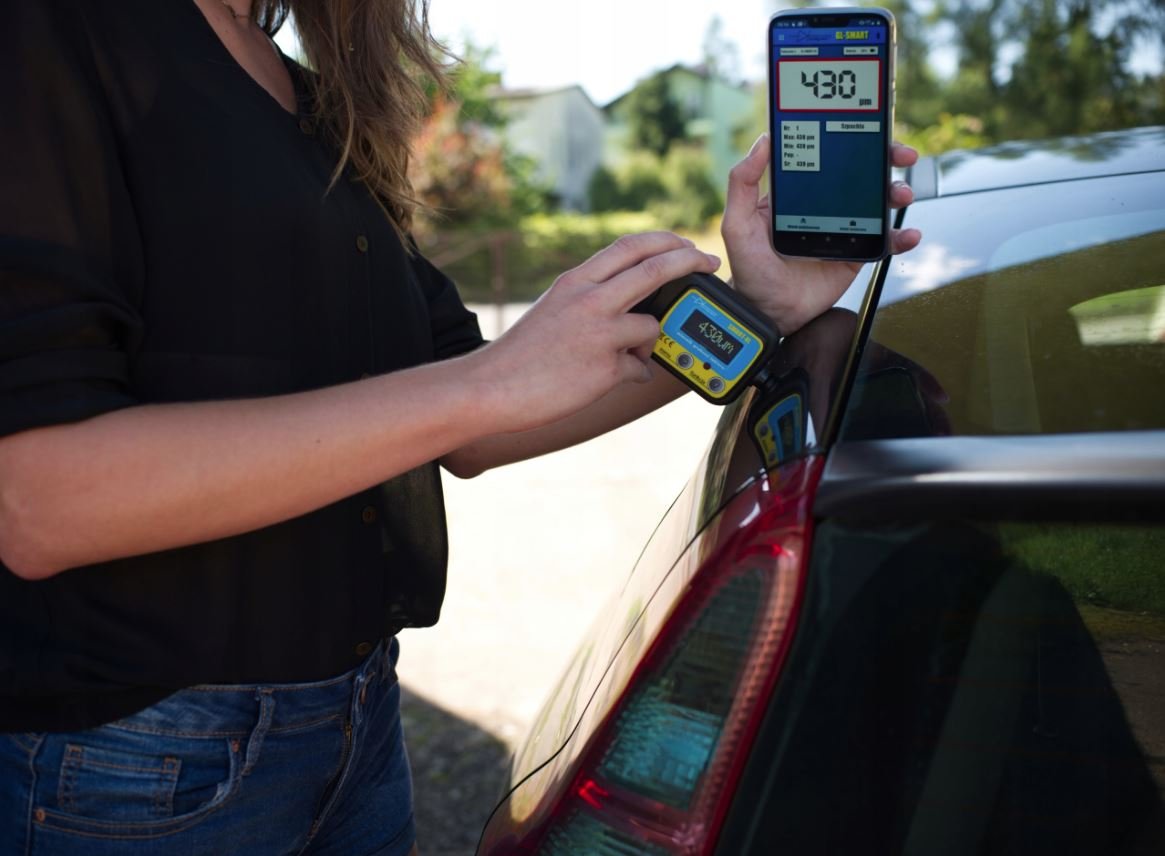
SMART series paint thickness gauges allow connection to a phone via Bluetooth. Thanks to the GL-SMART application, we gain a range of additional features that are not available for standard paint thickness gauges.
The gauge can also be operated without a phone, as it has a built-in LCD display.

Main Advantages of the Device:
- Collaboration with the GL-SMART Application: Our gauge integrates perfectly with the GL-SMART application, opening a wide spectrum of new possibilities.
- Built-in Measurement Probe: The specially designed measurement probe is integrated into the device, ensuring precise measurements.
- Measurement on Steel, Galvanized Steel, and Aluminum Panels: Our gauge is exceptionally versatile, allowing measurement on various materials.
- Measurement Assistant® with LED Technology: Thanks to the Measurement Assistant® LED feature, the measurement process becomes even more intuitive and efficient.
- Measurement Assistant® with AUDIO Technology: The additional AUDIO Measurement Assistant® feature provides an extra level of convenience and accuracy.
- Precise Measurement Resolution: Ability to select a measurement resolution of 10µm or 1µm, available in the MENU.
- Extensive Paint Thickness Measurement Range: Our gauge covers a range from 0µm to 2000µm, ensuring a wide spectrum of applications.
- Clear and Large Characters on the Display: Ensure easy readability of measurement results.
- Fast and Precise Calibration: The set includes zeroing plates, allowing for quick and accurate calibration of the gauge.
- Backlit LCD Display: Even in low light conditions, reading results is comfortable.
- Automatic Shutdown after Extended Inactivity: With this feature, you save energy and extend battery life.
- Powered by Two AAA Alkaline Batteries: Provide reliable power and a long usage period.
- Polycarbonate Keyboard: Resistant to operating conditions, ensuring comfortable and reliable use.
- Stylish Branded Case: We ensured that you can store and transport the device in a stylish and protective manner.
- Support in Polish and English: The gauge's menu is available in both languages, ensuring comfortable operation.
Please note that after launching the application or selecting a specific function, permission may be required to access location, camera, and multimedia. Permission to access location is necessary for Bluetooth 4 LE technology to function and is a requirement of the Android system. We do not collect any data regarding the phone's location.
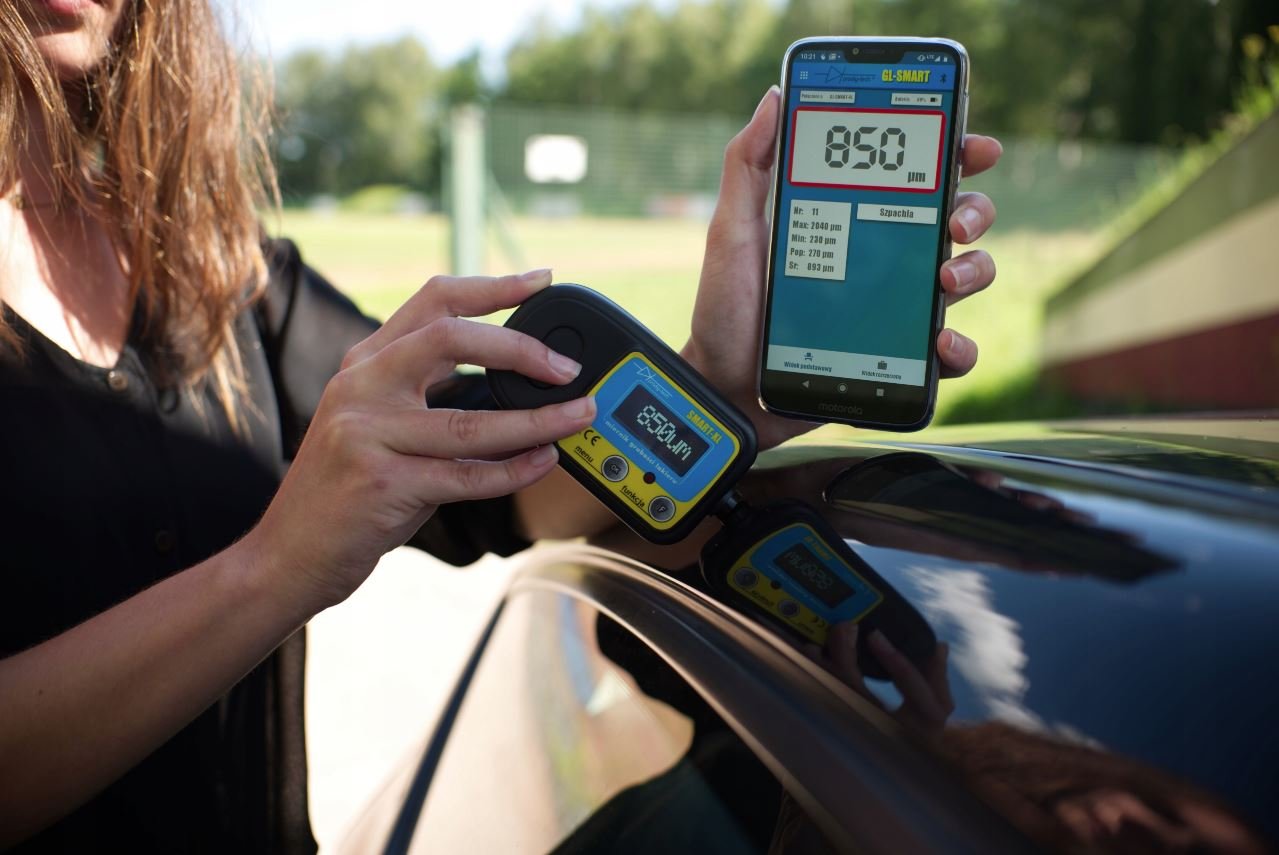
**The phone is not included in the set. Photos include it solely for demonstration purposes showcasing the functionality of the application and the gauge.
Basic Measurement
After selecting this function, a list of detected gauges will be displayed – you need to select one of them. The application will enter measurement mode in "basic view." Switching to "extended view" will reveal additional features: a table with a list of measurements, a graph with measurements, and the ability to save measurements in the measurement catalog. To perform a measurement, you also need to go to the measurement function in the gauge's MENU. After placing the gauge on the body, the measurement will be displayed on the gauge's LCD display and in the GL-SMART application.
Professional Measurement
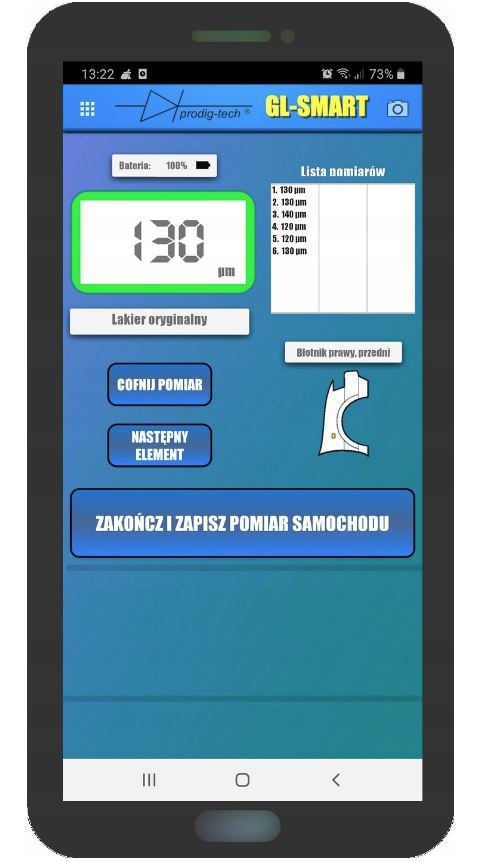
Allows measurement divided by individual body elements. A graphic showing the car projected onto individual fragments will be displayed. After selecting a given fragment, a view as shown in the left image will be displayed. The measurement is performed similarly to what is described in the "basic measurement" function.
In professional mode, there is also the option to save measurements in the form of a report. With the GL-SMART-8 version of the gauge, it is possible to take 12 photos of the measured vehicle. To do this, click on the camera icon in the upper right corner of the application. The photos will be saved in the catalog along with the measurements of the given car. For each examined car, the photos are saved separately.
Measurement Catalog
Contains saved measurements divided into professional (icons with dark blue borders) and basic (icons with green borders). By selecting a specific measurement file, we have the option to edit data such as brand, engine, model, mileage, data of the person conducting the measurements, conclusions, etc. Additionally, the professional measurement file has the function of exporting data to a PDF file in the form of a report.
Calibration
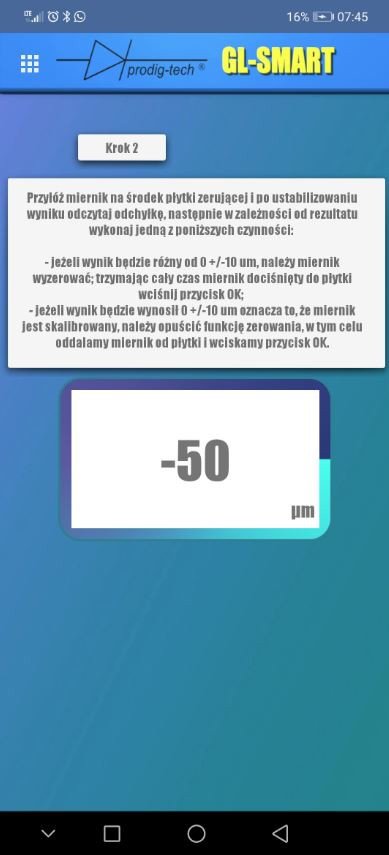
By selecting this function, it is possible to calibrate the gauge. Follow the prompts.
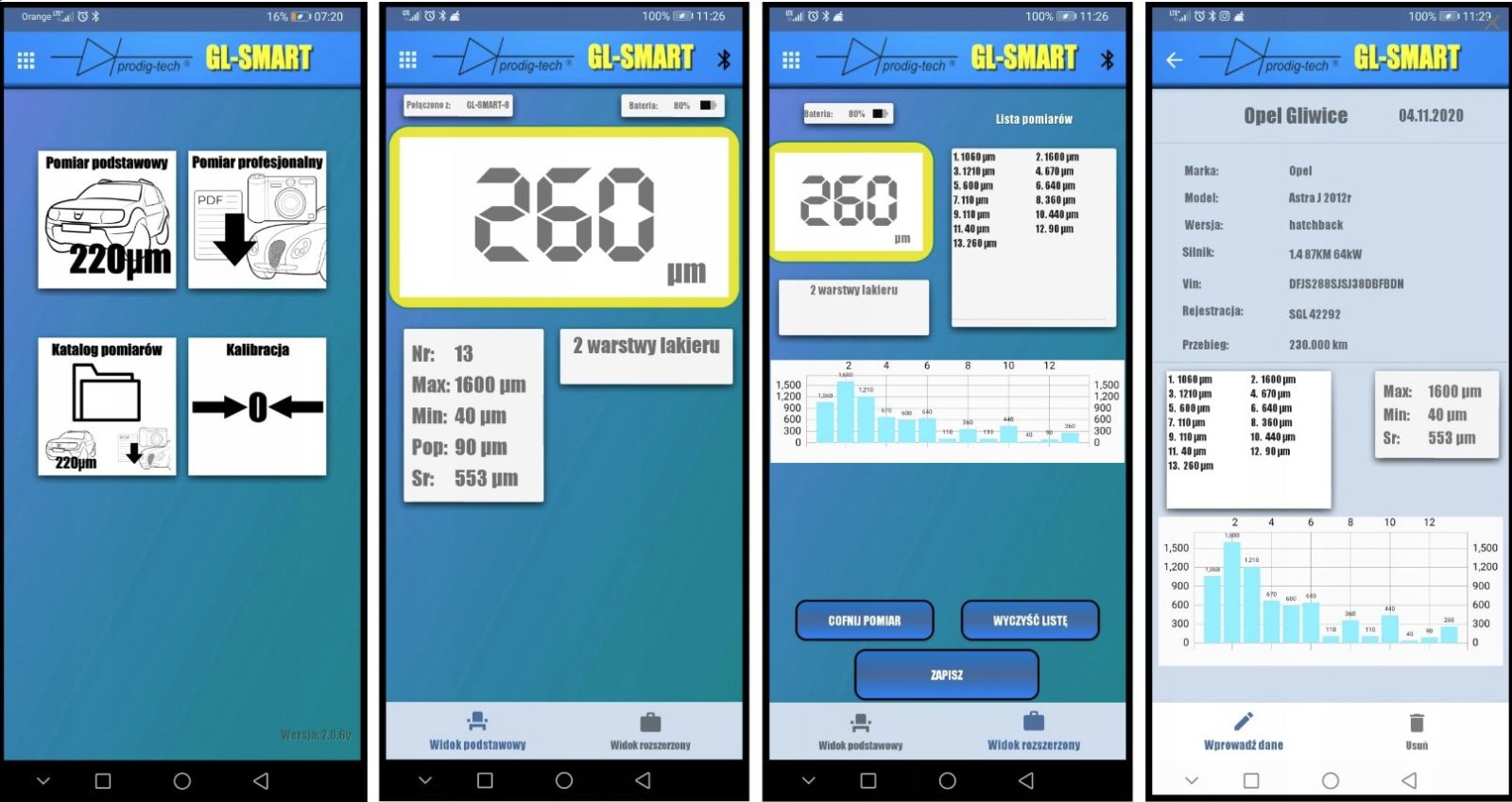
View of the main application dashboard (on the left) and the "basic measurement" mode.
general measurement without selecting body elements
ability to save measurements along with car data
measurement assistant
Below are sample screenshots of the GL-SMART application in collaboration with the GL-SMART-XL gauge
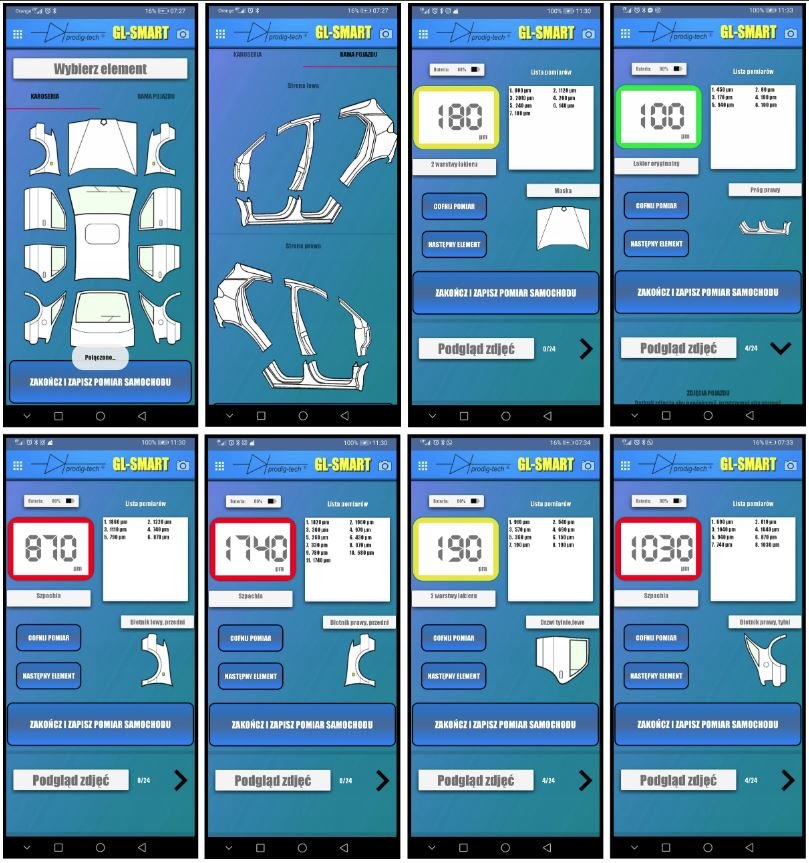
View of the "professional measurement" mode
measurement on selected body elements
measurement on pillars
measurement assistant®
ability to take a photo of the vehicle
saving measurements in the form of a report along with vehicle data and other information
Below are sample screenshots of the GL-SMART application in collaboration with the GL-SMART-XL gauge
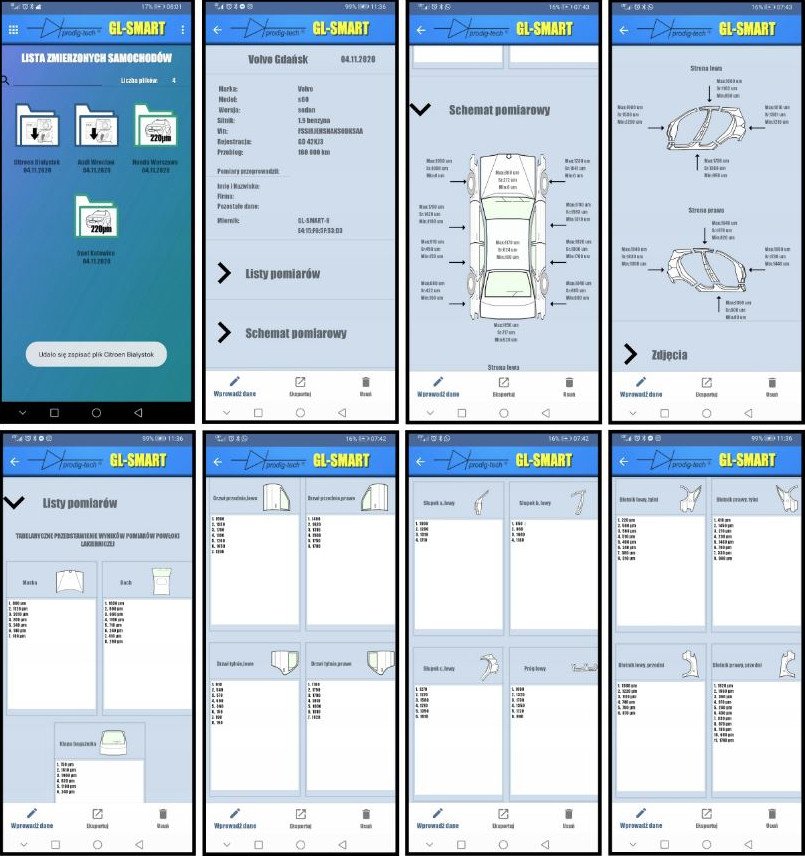
Preview of saved measurements
division into professional and basic measurements
ability to edit reports
measurement diagram
export to PDF file
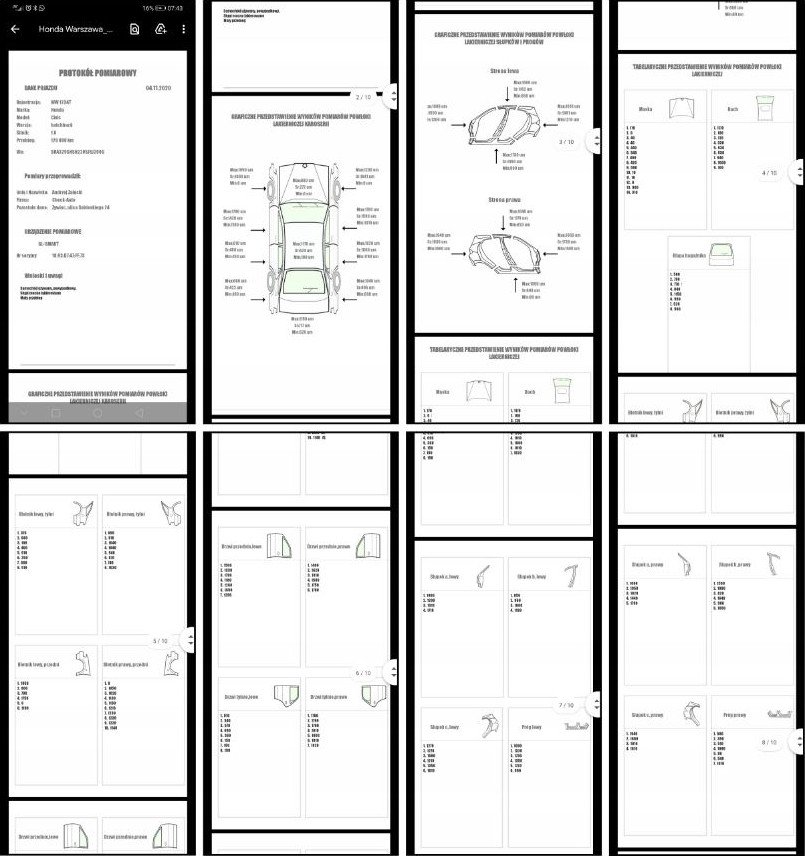
Below are sample screenshots of the GL-SMART application in collaboration with the GL-SMART-XL gauge
Sample screenshots of the measurement protocol exported to a PDF file by the GL-SMART application
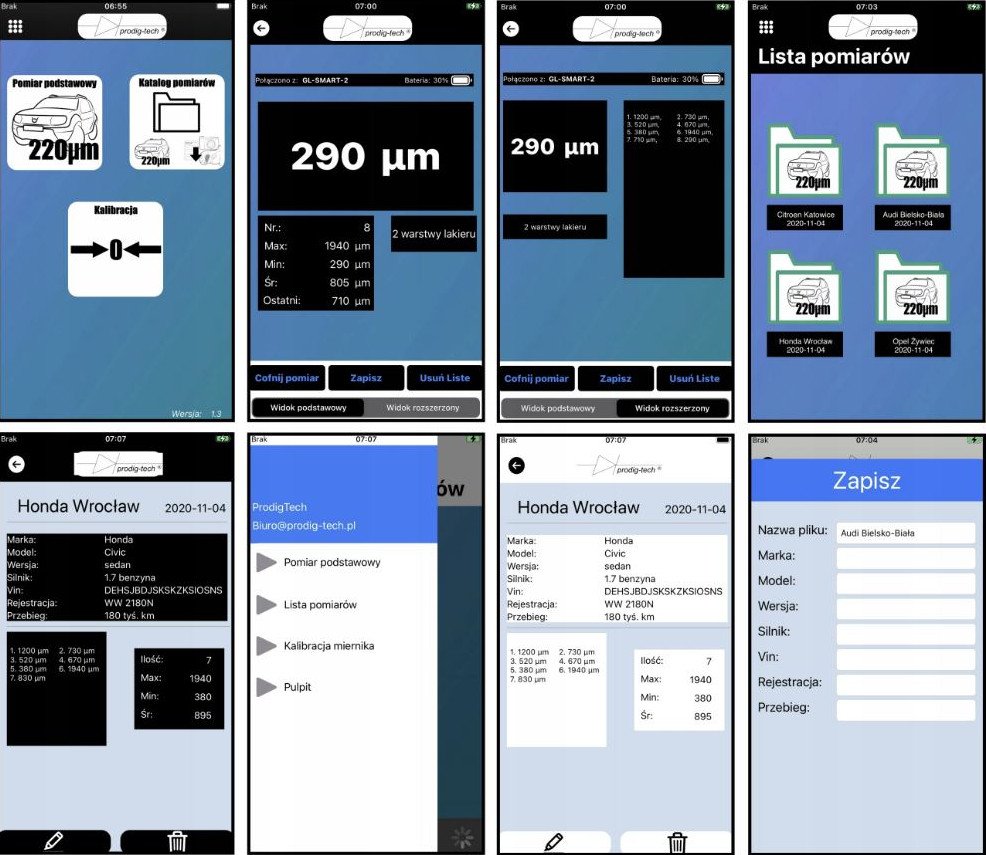
Below is a preview of the application view for iOS in dark and light mode
currently (11.04.2020) the application for iOS is being developed, and its full functionality will be available within a few weeks
currently available functionalities: basic measurement, saving and editing measurements in basic mode, measurement assistant®, calibration
MEASUREMENT ASSISTANT® function with LED and audio signaling and in the GL-SMART application
The function suggests to the evaluator whether the car has had bodywork and paint repairs.
The function informs via an LED built into the gauge about the state of the bodywork:
- 🟢 LED is off – paint is correct;
- 🟡 LED is pulsing – second layer of paint;
- 🔴 LED is on – filler.
Additionally, the gauge signals with sound:
- 🔇 no sound - paint is correct;
- 🔊 intermittent sound - second layer of paint;
- 🔊 continuous sound - filler.
In the GL-SMART application, a solution has been implemented that changes the colors of the frame with the measurement:
- 🟢 green – paint is correct;
- 🟡 yellow – second layer of paint;
- 🔴 red – filler;
Additionally, a text message is displayed under the frame.
It should be noted that the MEASUREMENT ASSISTANT® function is only meant to assist in interpreting measurements; it cannot be the basis for a definitive answer to whether the car has had bodywork and paint repairs. Nevertheless, many people evaluating cars do not really know what a given paint thickness means, which is why the above function is intended to help.
Calibration Function
- simple calibration
- plate included
The calibration - zeroing function ensures that the gauge will measure correctly in any conditions, even after several years of use.
Before measurements, you can calibrate the gauge and be sure that the measurements will be correct.
The gauge has compensation, which means it automatically calibrates, but precise calibration is always possible using the calibration plate.
Calibration + calibration plates - a very important function
- as the probe wears (abrasion), this function will compensate for its wear, ensuring your measurements remain correct;
- natural aging of electronic components over time can cause measurement errors, which you can correct using the calibration function and the included plate;
- large temperature changes can cause measurement errors, which you can also correct using the calibration function;
- thanks to the calibration function, you know whether your gauge measures correctly, and if the deviation is large, you can eliminate that measurement error.
The application will guide you through the calibration process, allowing you to complete it correctly and quickly.
On the left side, sample screenshots of the GL-SMART application in collaboration with the GL-SMART-XL gauge
The set consists of:
- GL-SMART-XL paint thickness gauge;
- zeroing - calibration plate;
- two AAA alkaline batteries - batteries are factory installed in the gauge;
- eco-leather case for the gauge
Reviews
Delivery - cost and time
Orders weighing less than 2 kg are shipped via Polish Post Office. Once outside the borders of Poland, the package will be handled by a local company providing standard postal services.
Orders heavier than 2 kg are sent via courier service. The choice of courier company is tailored to each order and generally based on the lowest available price.
Price of international delivery :
Up to 2 kg - 39PLNMore than 2 kg - individual calculation
How to make an order
FIRST:
Order by email. Let me know what do you need. PRESS HERESECOND:
Order by our website or by EBAY.THIRD:
Only for companies and industries. Are you reseller? Let me know - we can offer very good prices. PRESS HERENewest products in the store



 CCYinterfaces
 CCYinterfejsy